
meta data for this page
Change the Settings of a SmartPLT
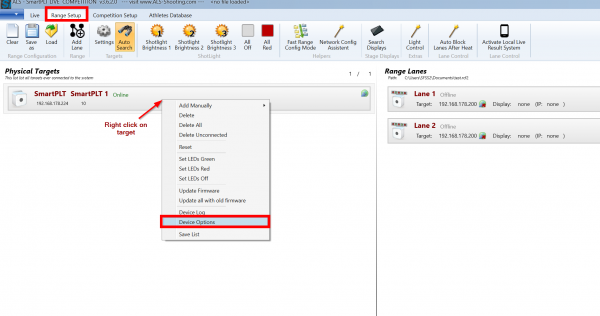
- Open the “Options” Dialog of the Device you want to change the settings
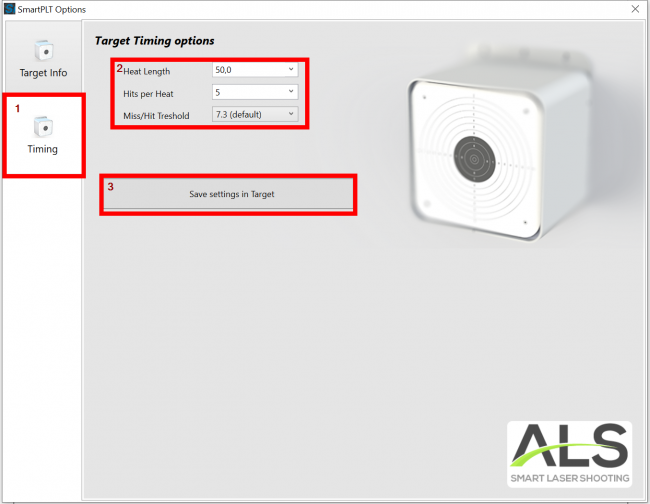
- Type in your desired settings and click on “Save settings in Target”
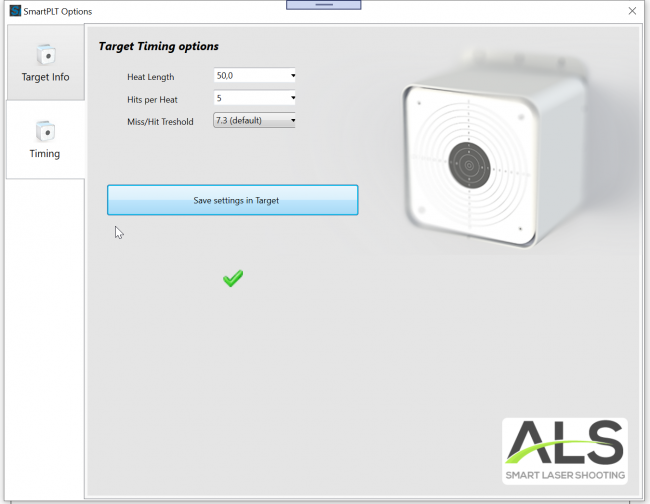
- A green check sould appear in case the settings could be written to the target sucessfully. In case the green check do not appear there is a problem with version incampatibility of the Software. Please contact us in this case.
Please note: The settings are written to the target permanently. So next time when you use the target remember that the settings are changed.